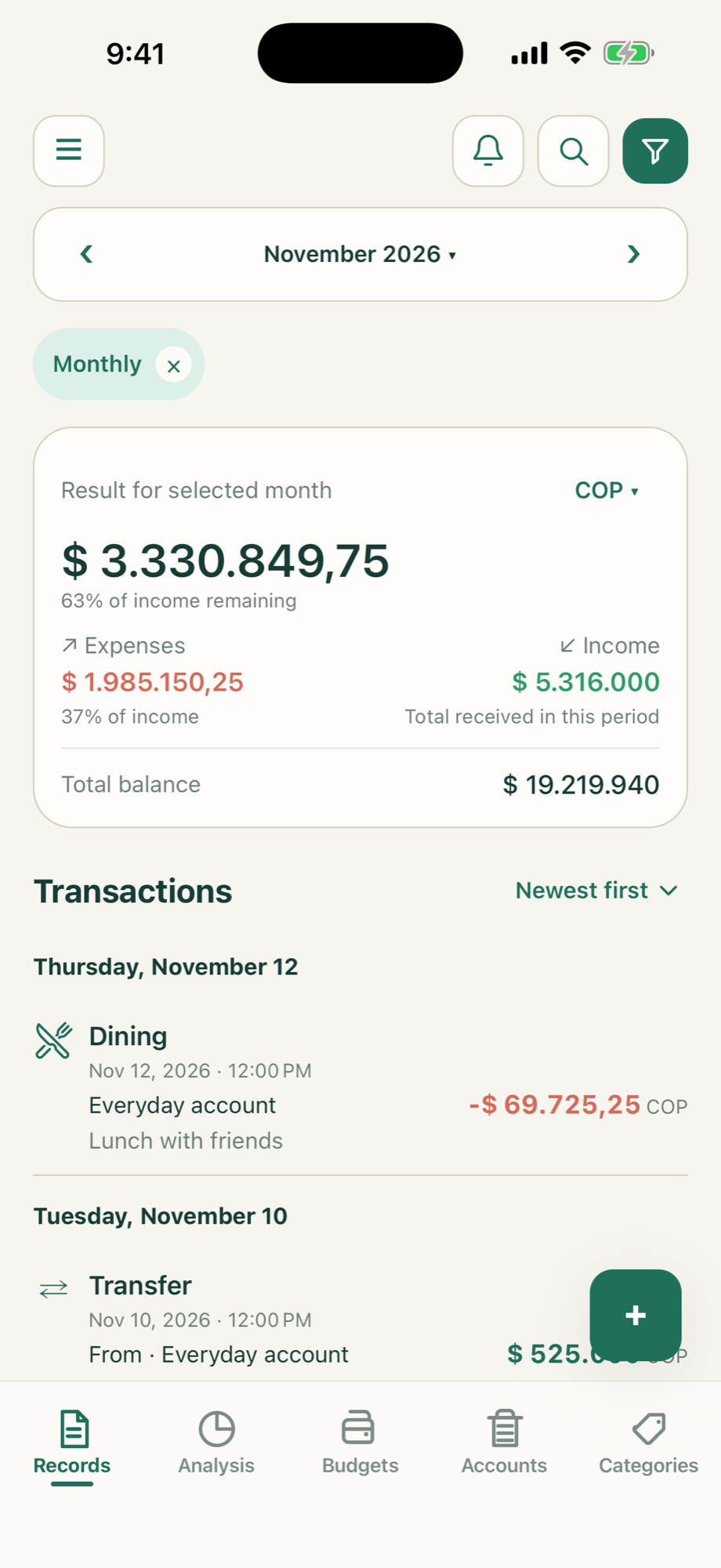
01 / RECORDS
Keep everyday spending in view
Record income, expenses, and transfers. Add categories and notes so every transaction makes sense.
PERSONAL FINANCE, MADE SIMPLE
Everyday spending, all your accounts, and a plan for what comes next. Bring your finances together in one calm, simple place.
Take a look inside ↘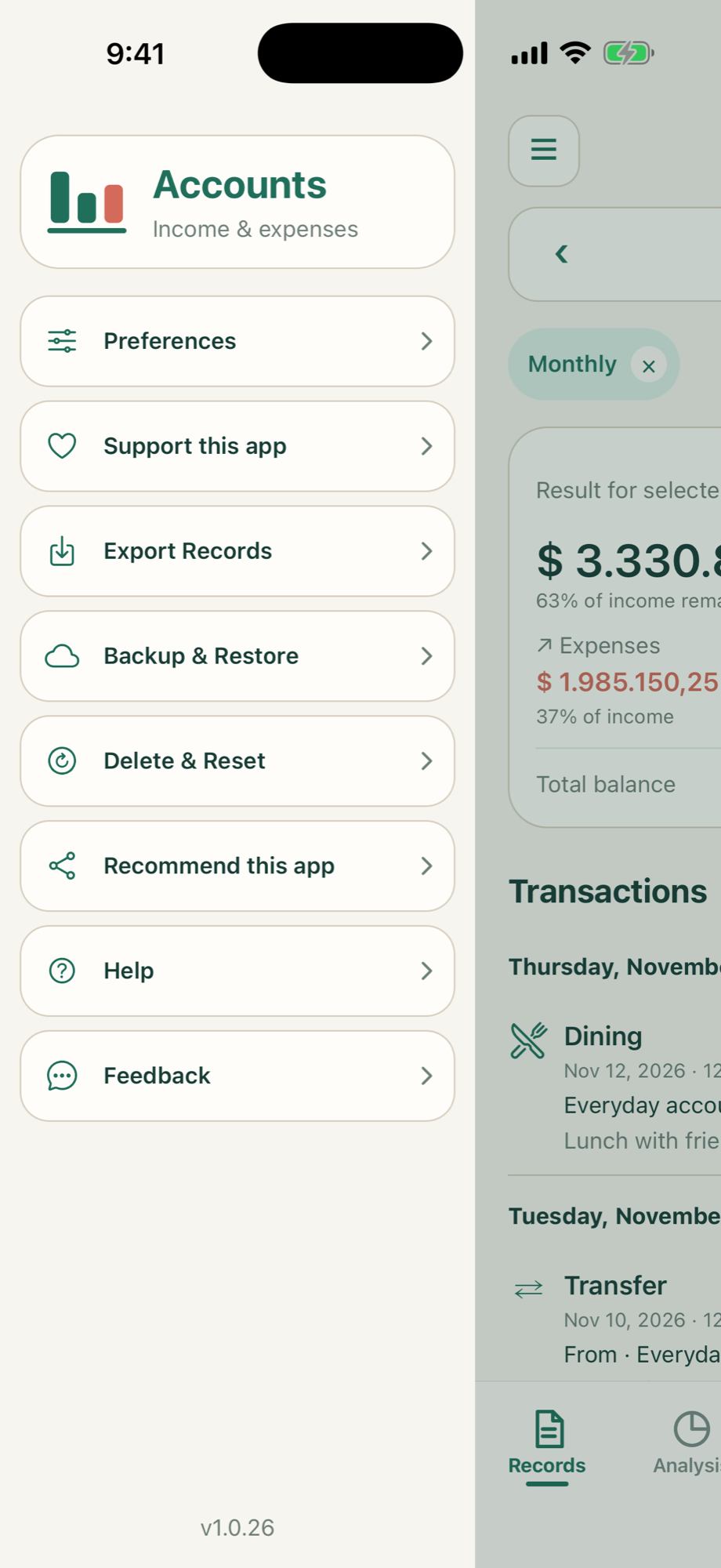
ACCOUNTS
From your morning coffee to your monthly budget, Accounts: Income & Expenses helps you see where your money goes.
01 / RECORDS
Record income, expenses, and transfers. Add categories and notes so every transaction makes sense.
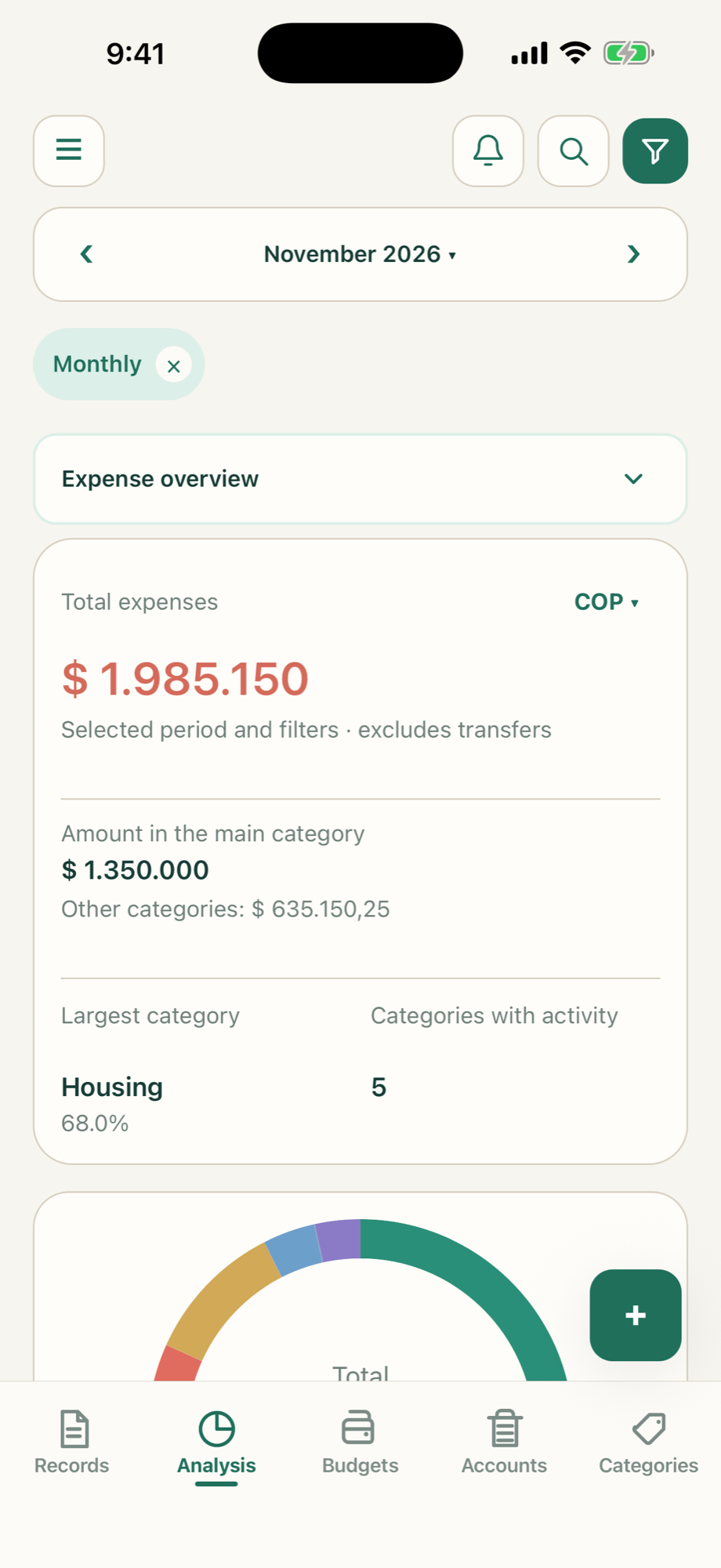
02 / ANALYSIS
Explore income and expenses by category and period, with charts that make patterns easier to spot.
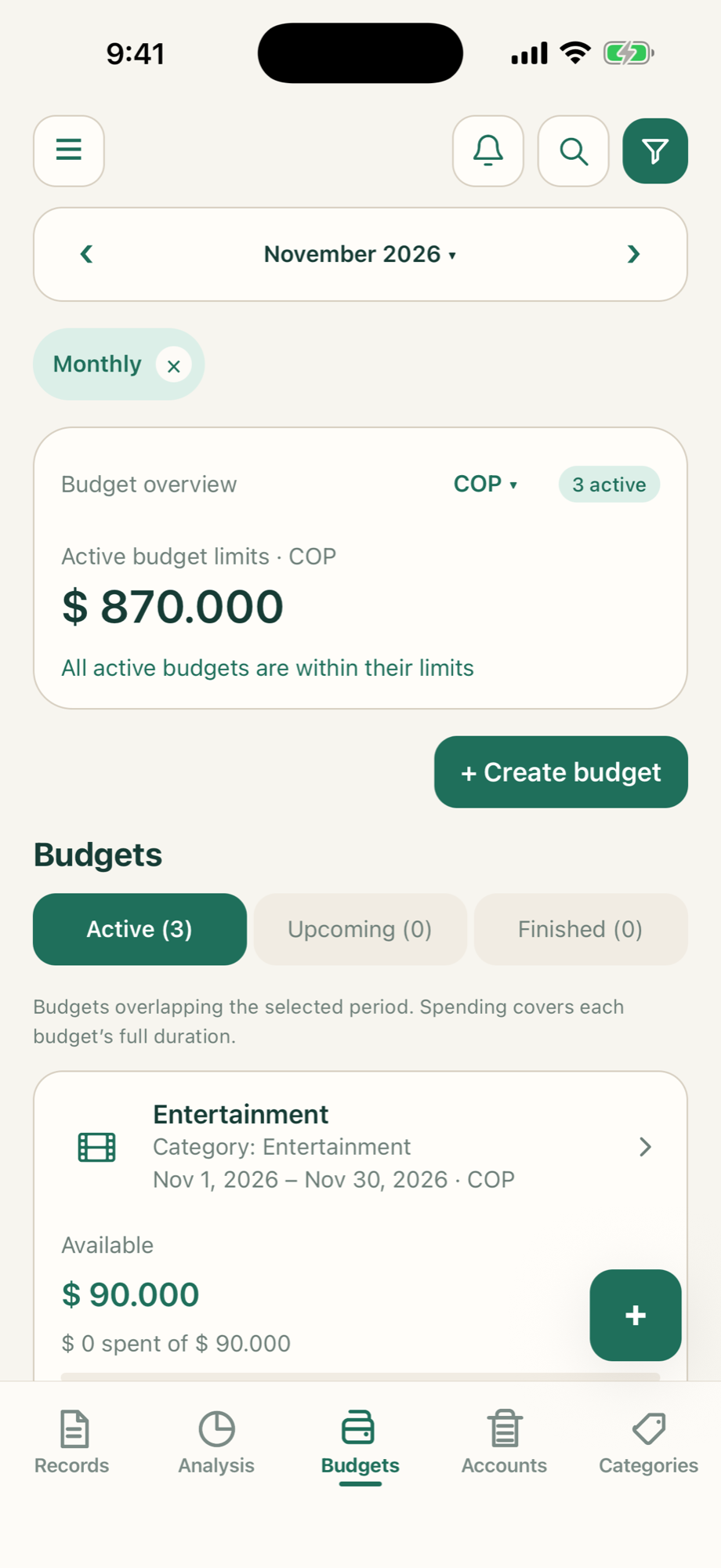
03 / BUDGETS
Set budgets, follow your progress, and organize your spending around your priorities.
A simple workspace for your everyday finances.
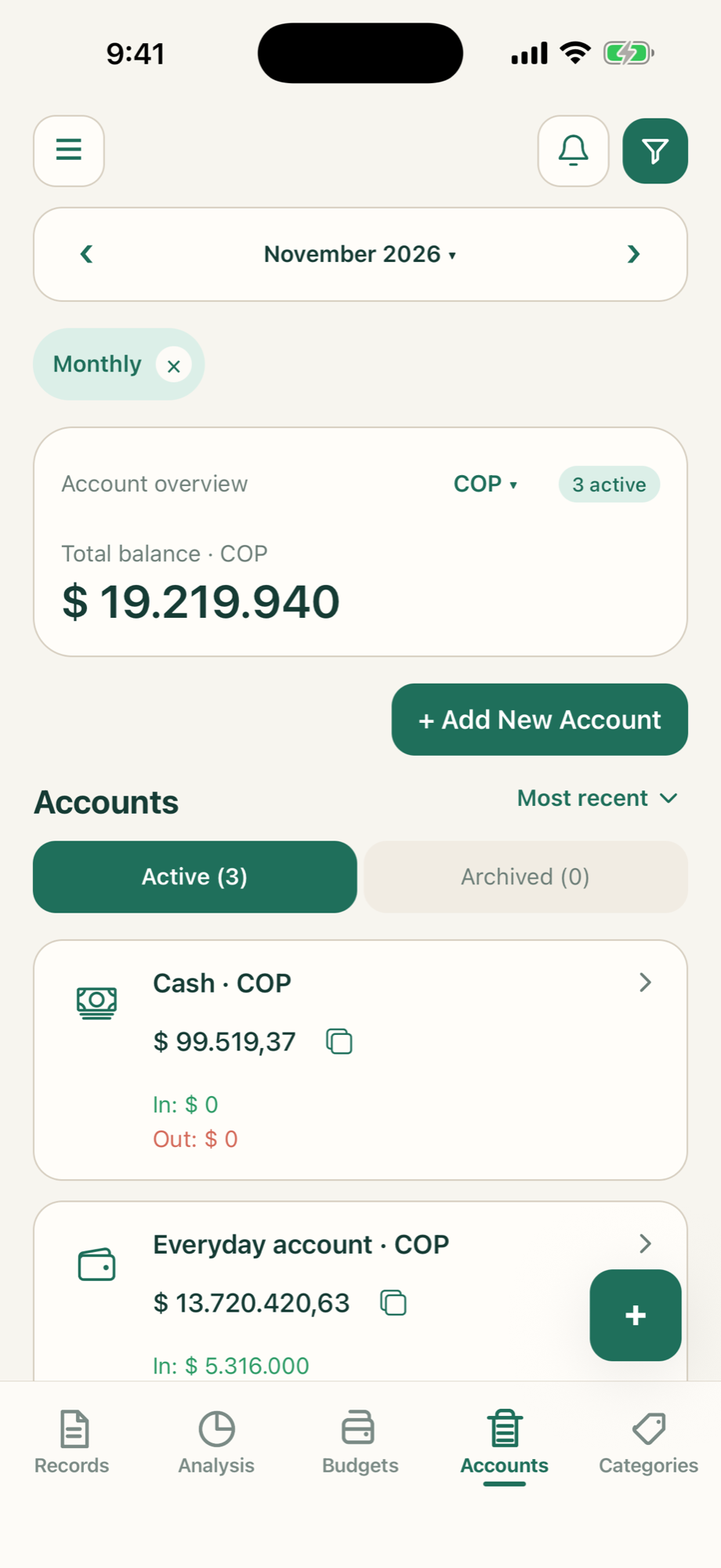
App previews with fictional sample data.
ACCOUNTS / Privacy policy
Your financial records stay in the app’s local database on your device. No online account is required, and there is no automatic cloud synchronization.
Privacy policy ↗Export your transactions as CSV, or save and restore a backup of your app data.
Diagnostic sharing is optional and off by default. You can control it in Preferences.
Plan scheduled transactions and choose optional reminders to help you keep up.
Accounts: Income & Expenses is currently in internal testing on Android. A public download link will be added here when it is ready.
Accounts: Income & Expenses lets you record and organize your finances yourself. It does not connect to your bank or automatically import bank transactions.
Accounts: Income & Expenses supports English, Spanish, and Portuguese. You can choose your language in the app.
Use Backup & Restore to export a copy of your app data. Keep that file safe; Accounts: Income & Expenses does not automatically back it up to the cloud.
We’re getting Accounts: Income & Expenses ready. More is on the way.